GX8006_LN882H Large Model Solution Board Flashing Instructions*
Troubleshooting if Flashing Fails
- Verify the hardware connections are correct
- Confirm the opened serial port is the one recognized by the PC
- Ensure the data cable supports data transfer; some cables only provide power
- Try lowering the baud rate
- If the 882 has a program running that occasionally sends data to the 8006, try putting the 882 into boot mode first, then flash the 8006
- If the 882 has a program running that occasionally sends data to the 8006, try configuring the 882's network first, wait for the voice prompt to finish, then flash the 8006
1. LN882H_GX8006 Public Firmware*
- Click LN882H_GX8006 Public Firmware to download
2. Hardware Connection*
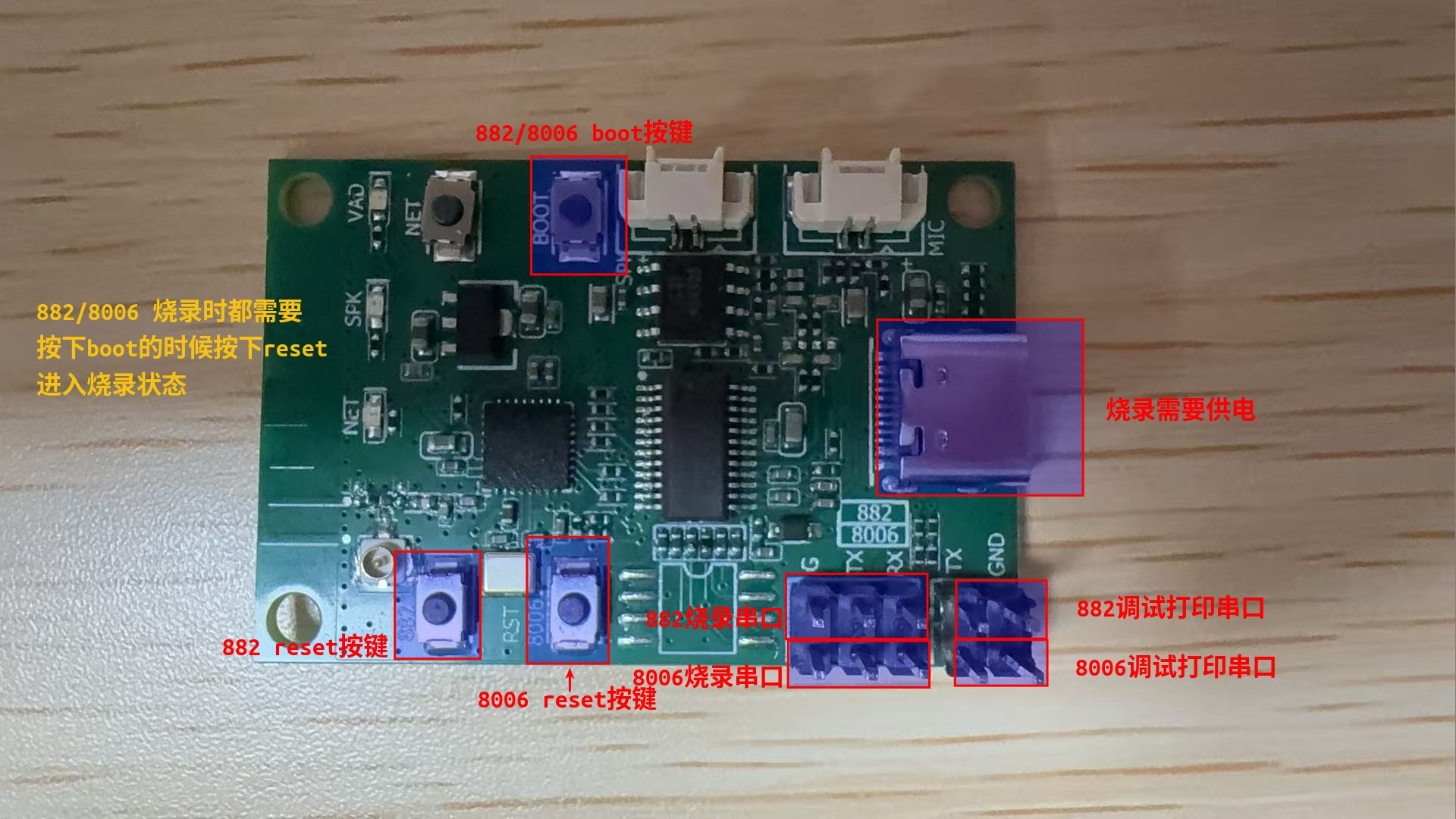
3. 882 Flashing*
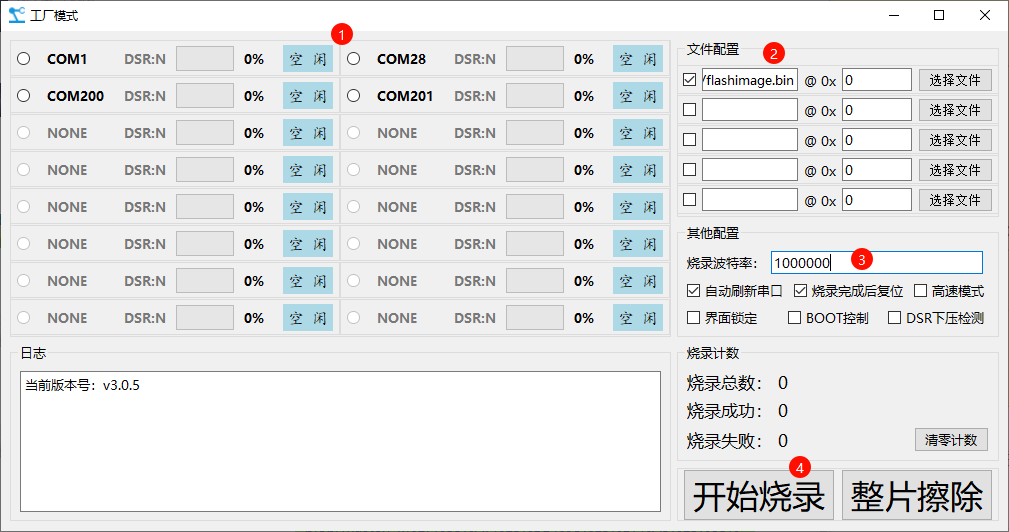
- The firmware is flashed via the serial port. Click the link to download the Liangniu Serial Port Flashing Tool
- Follow the steps in the marked order. During flashing, the MCU must be reset while the BOOT button is held down to enter flashing mode. The BOOT button can be released after flashing starts
4. 8006 Flashing*
- NCDownloader latest version download link (http://yun.nationalchip.com:10000/l/IF2mba)
- When starting the flashing process, press and hold the boot button while pressing reset to enter flashing mode.
- Related access link NCDownloader 8006 Flashing