Bunkws Chinese User Documentation*
It is recommended to click Bunkws Chinese User Documentation-v2.1.pdf to open in a new window.
Method for Setting Up BunKws Environment Using Cloud Server*
- Using a cloud server to set up the BunKws environment eliminates the need for users to prepare or purchase physical servers, computers, or other hardware. Simply rent hardware platforms from designated cloud service providers and copy our specified images to quickly obtain the BunKws environment.
- With this method, extensive environment setup is not required; some software installations can be done directly using the images provided.
Cloud Service Introduction*
- 国芯微 uses the 优云智算平台 to host the open-source BunKws image. Users can directly deploy the image on this platform to obtain the BunKws environment. 优云智算 is a GPU computing power rental platform under UCloud (优刻得科技股份有限公司), dedicated to providing diverse computing resources for customers in AI, deep learning, and scientific computing. 国芯微's open-source training platforms alchemy and bunkws have been packaged as images and published on 优云智算, which customers can directly use as needed.
Bunkws Installation and Environment Configuration*
Step 1: Account Preparation*
-
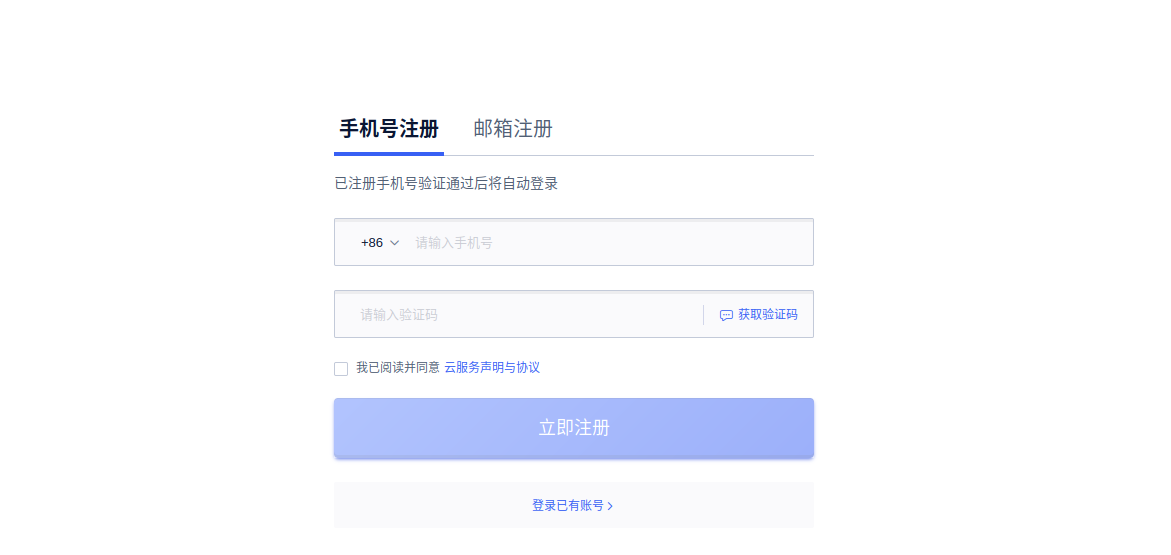
Register an account: Follow the prompts to register; no special operations are required.
-
URL: https://console.compshare.cn/
-
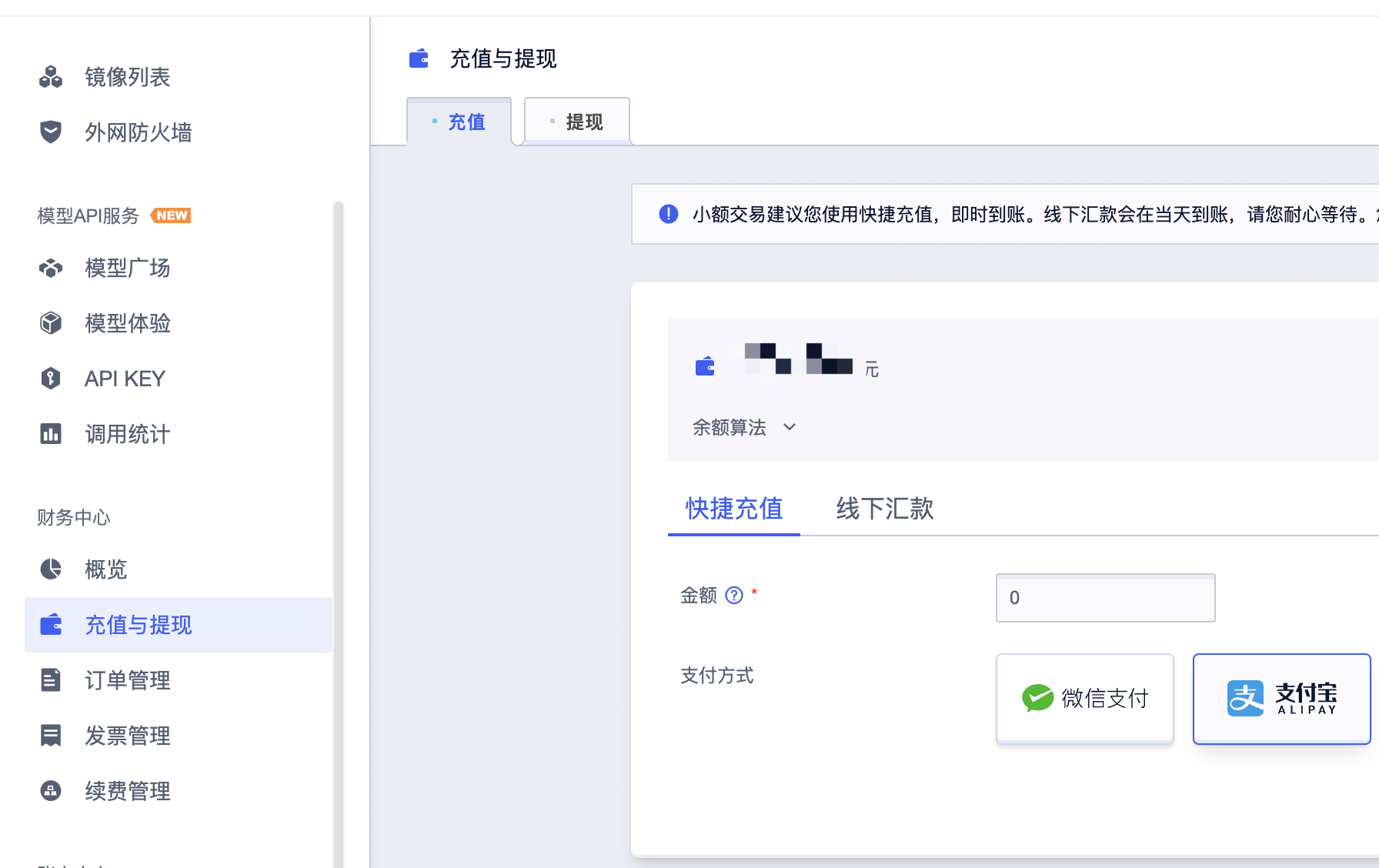
Account recharge: If the account balance is insufficient, recharge first.
-
URL: https://console.compshare.cn/uaccount/recharge
Step 2: Obtain Image and Create Instance*
- Click: Console -> Deploy Instance
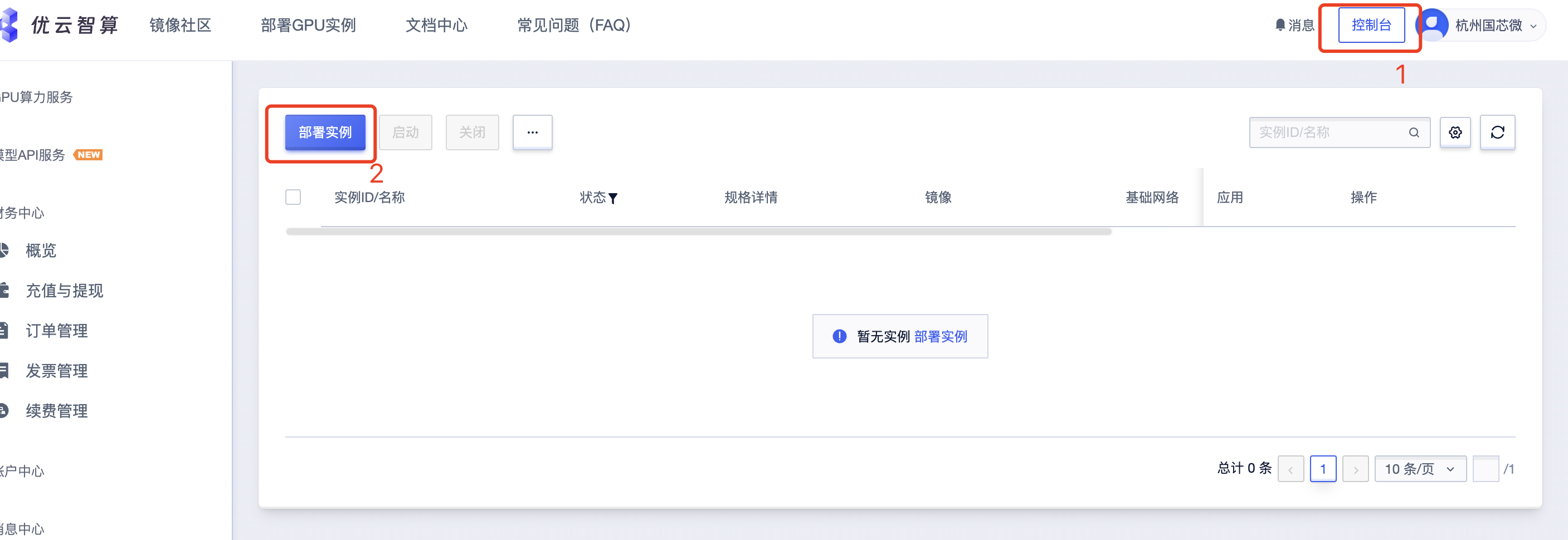
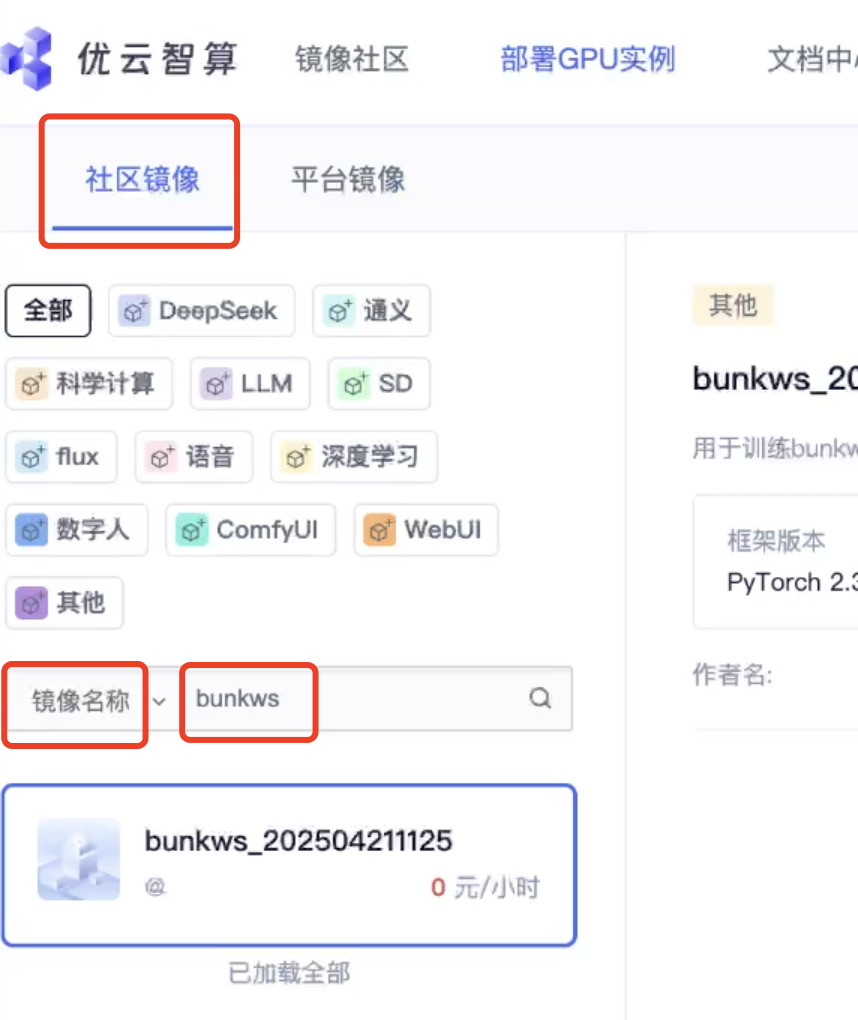
- Community Images -> Image Name, enter the name of the image to deploy, such as bunkws
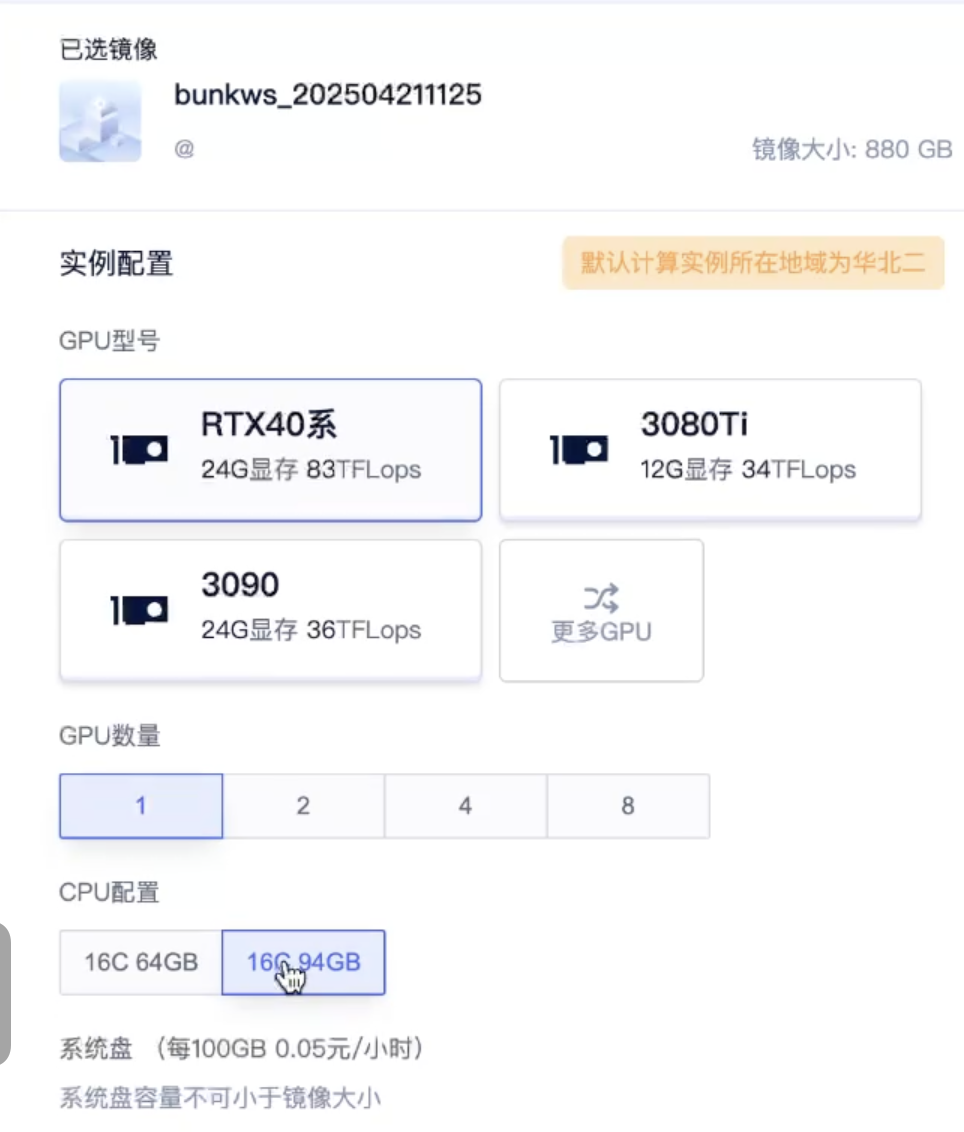
- Select GPU and CPU configuration
- Select disk space
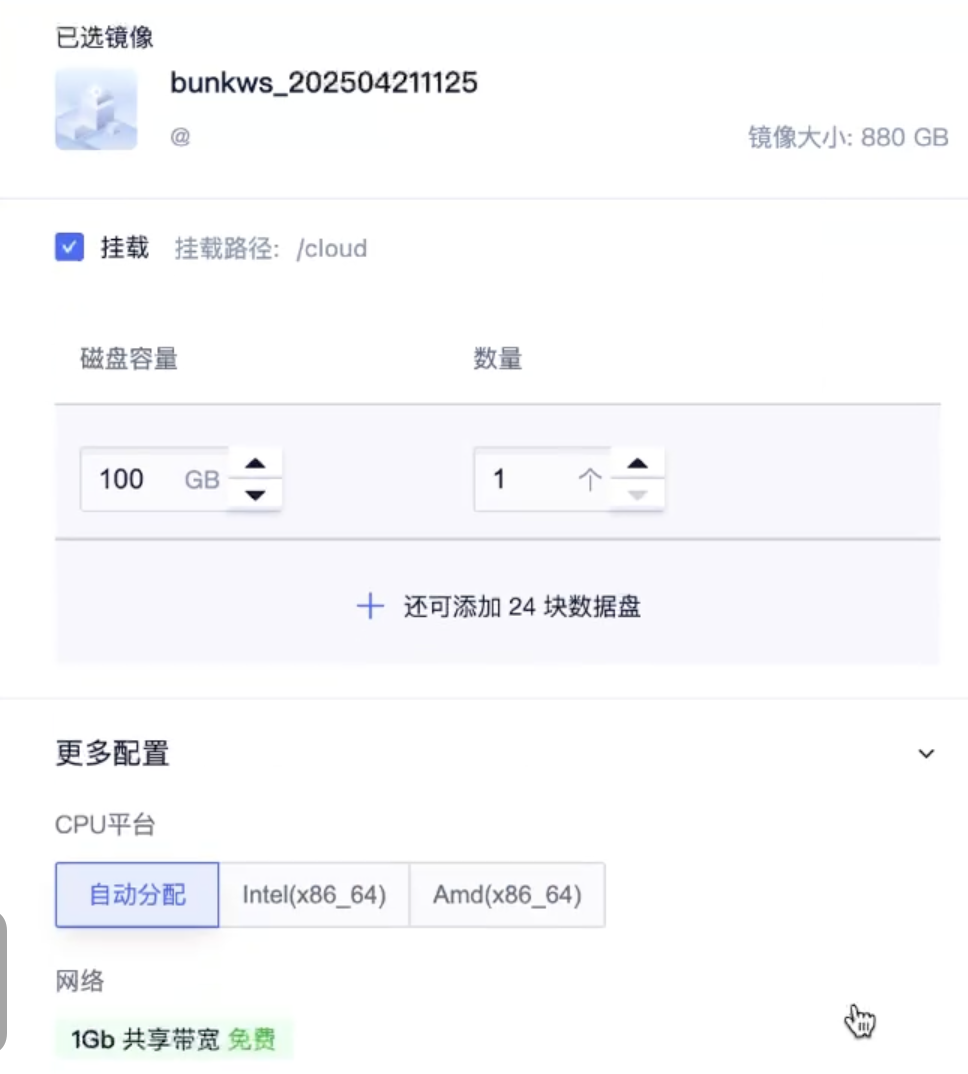
- Select payment method as 包时 (hourly)

Step 3: Remote Login and Enter Environment*
- After creating the instance as described above, a login command will be automatically generated. Use SSH to remotely log in to the cloud server; copy the command and password from the console.
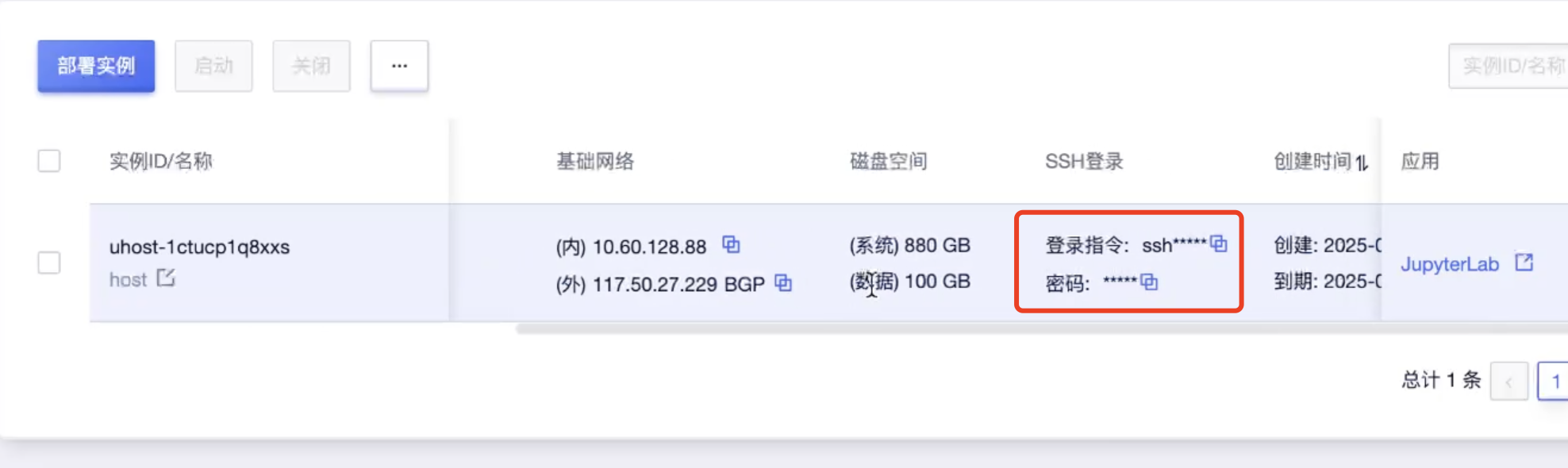
- Log in to the remote server in the terminal
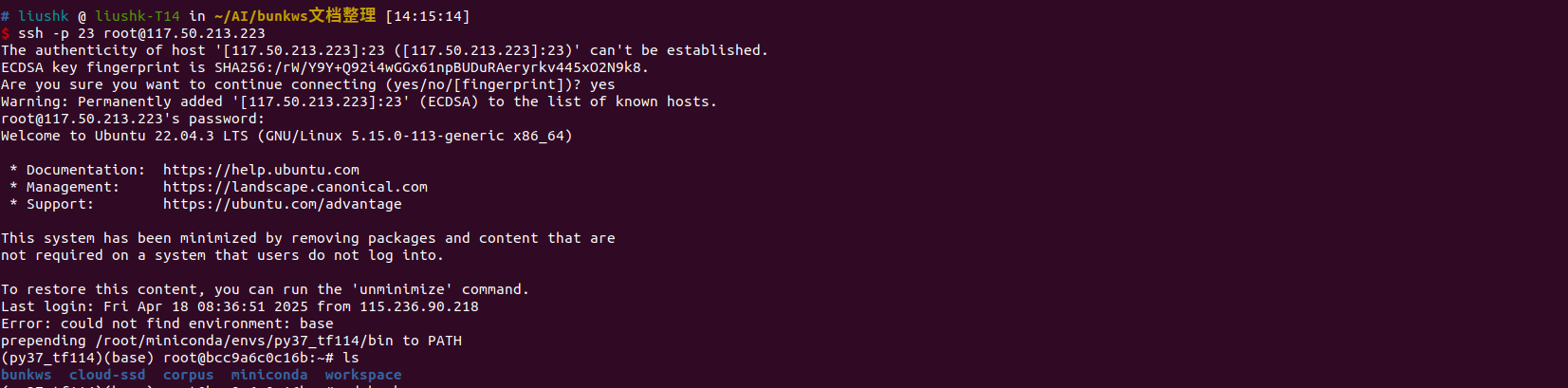
- After logging in, subsequent operations are identical to those on a local server, all performed via the Linux terminal.
Supplementary Notes:*
Saving Images*
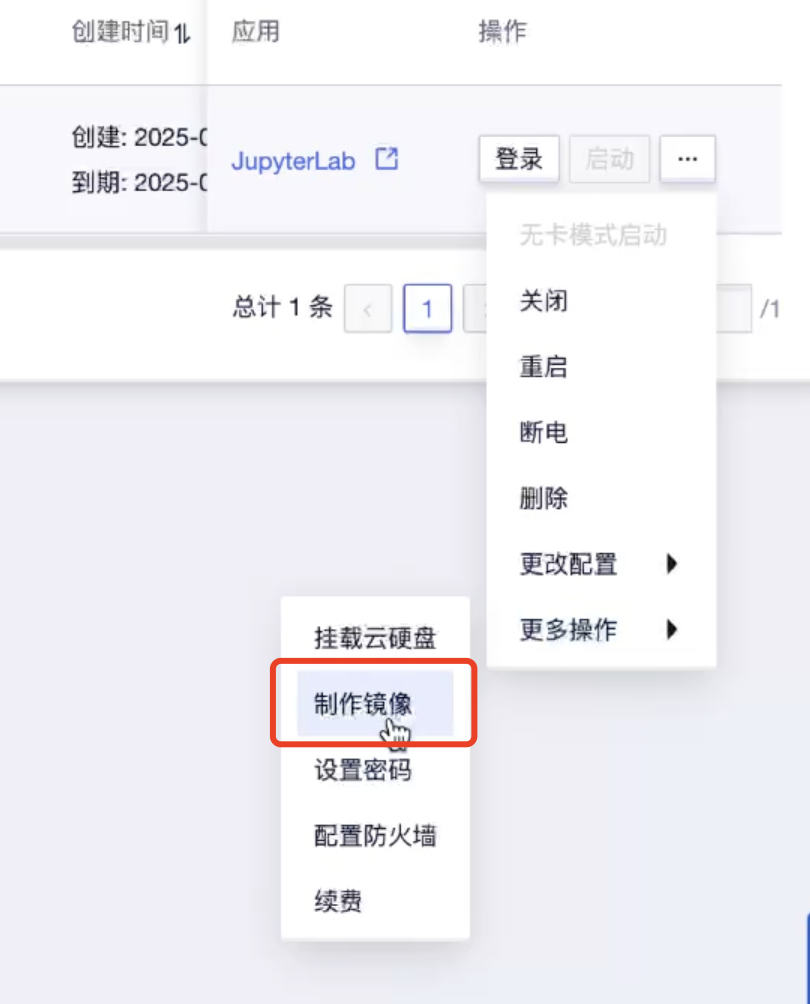
- If users modify content based on the images published by 国芯微 and need to save it privately, they can recreate the current environment as an image. This way, even if the instance is deleted later, the modifications can be preserved. Once the image is created, it can be selected during the next instance deployment.
Deleting Instances*
-
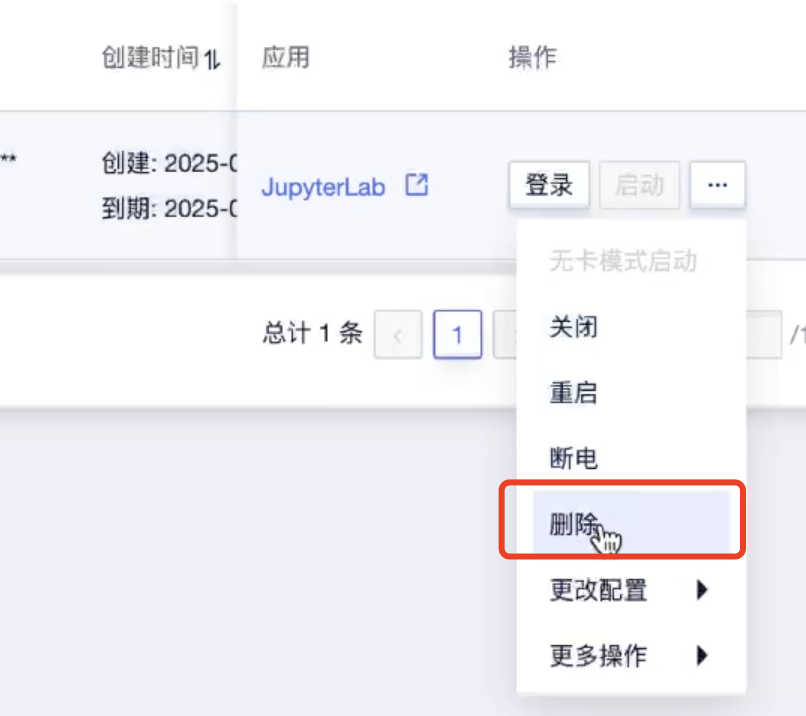
Note: On the 优云智算平台, since we selected "包时 (hourly)" when deploying the instance, the instance must be deleted after use; otherwise, billing will continue. The billing rule is that charges start as soon as the instance is created, regardless of usage. Therefore, if you do not use the training platform for an extended period, it is recommended to delete the instance. Of course, deleting the instance will also erase your modifications. To save your private changes, you can create a new image. For specific rules, refer to the 优云智算平台 documentation
-
In the instance list, find the instance you created, click Actions, and select Delete.